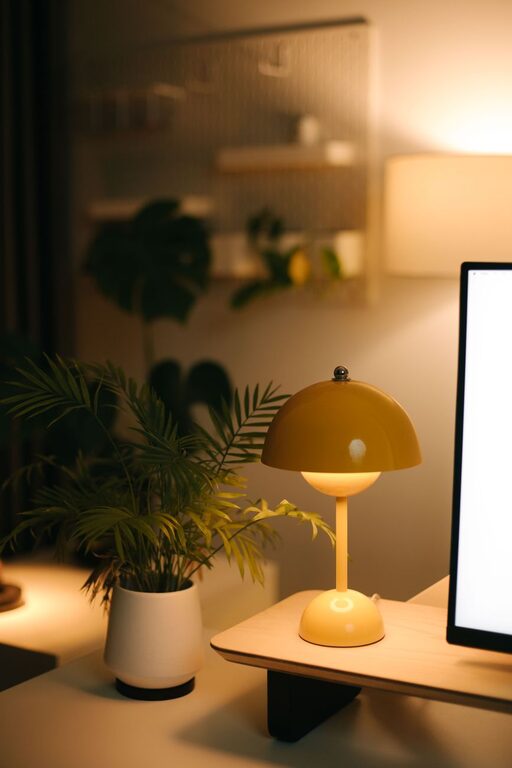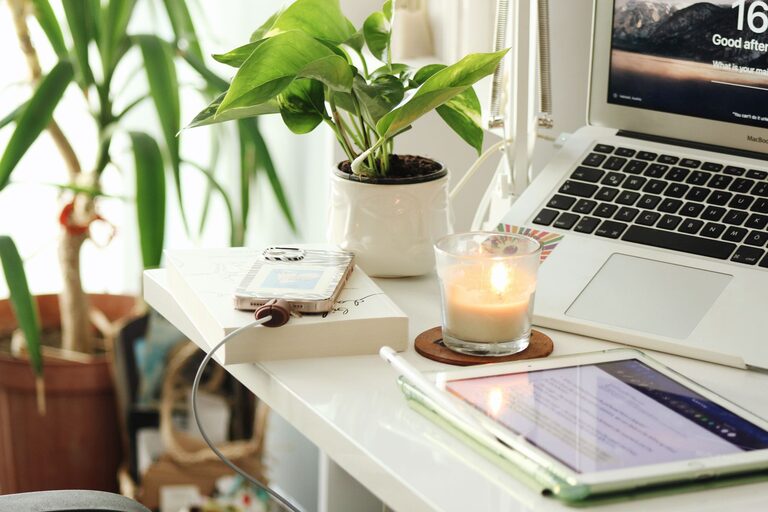

Creating a comfortable and productive home office space is essential for anyone working remotely or spending significant time on tasks at home. A well-designed workspace can enhance focus, reduce stress, and increase efficiency. Whether you have a dedicated room or just a small corner, thoughtful planning can transform your area into an ideal office environment. Here are some practical tips to help you create a space that supports your work while keeping you comfortable.
1. Choose the Right Location
The first step in setting up your home office is selecting the best spot. Consider the following factors:
– Natural Light: Pick a location near a window to take advantage of natural daylight. Sunlight boosts mood and energy, which can help you stay alert during your workday.
– Quietness: Find a space away from household noise and distractions. A quiet environment is crucial for concentration and effective communication during calls or meetings.
– Space Availability: Even a small nook can work if well organized, but make sure the space has enough room for your desk, chair, and any equipment you need.
2. Invest in Ergonomic Furniture
Comfort plays a huge role in productivity. Using ergonomic furniture can prevent discomfort and potential health issues:
– Chair: Choose an adjustable chair with good lumbar support to promote proper posture.
– Desk: Your desk should be at a height where your elbows rest comfortably at a 90-degree angle when typing.
– Monitor Position: Place your screen at eye level about 20-30 inches away to avoid neck strain.
If possible, consider a sit-stand desk to change positions throughout the day and reduce fatigue.
3. Keep Your Workspace Organized
A cluttered workspace can be distracting and stress-inducing. Establish systems to keep your office tidy:
– Storage Solutions: Use shelves, drawers, and boxes to store supplies and paperwork.
– Cable Management: Use clips or sleeves to manage cords and keep them out of sight.
– Minimalism: Only keep on your desk the items you use daily to maintain a clean and efficient workspace.
Regularly tidying up will help maintain an organized environment that supports productivity.
4. Optimize Lighting
Lighting directly impacts your comfort and ability to focus:
– Combine Natural and Artificial Light: Use natural daylight complemented by adjustable task lighting.
– Avoid Glare: Position your screen to avoid reflections from windows or bright lights.
– Use Warm or Neutral Lights: Harsh, overly bright light can cause eye strain. Choose lighting that mimics daylight or warmer tones for comfort.
5. Personalize Your Space
Adding personal touches can make your home office more inviting and motivate you to work:
– Decorate with Plants: Indoor plants improve air quality and bring a calming natural element.
– Artwork or Photos: Choose items that inspire you without overwhelming the space.
– Color Scheme: Use colors that help you feel focused and calm, such as soft blues, greens, or neutrals.
Balancing personalization with simplicity helps maintain professionalism while creating a welcoming space.
6. Create a Routine and Boundaries
The comfort of working from home can blur work-life boundaries, making it hard to stay productive:
– Set Working Hours: Maintain a schedule similar to your regular job to structure your day.
– Designate Your Office Area: Using a specific space only for work helps your brain associate that spot with productivity.
– Take Breaks: Step away from your desk regularly to stretch, hydrate, and refresh your mind.
Implementing routines supports focus and prevents burnout.
7. Use Technology Wisely
Ensure your home office is set up with reliable technology to avoid disruptions:
– Stable Internet Connection: A strong Wi-Fi or wired connection reduces frustrating interruptions.
– Quality Equipment: Invest in a good headset, webcam, and keyboard for comfort and professionalism.
– Backup Solutions: Regularly save your work and use cloud storage to prevent data loss.
Tech reliability lets you stay focused on work tasks without unnecessary technical issues.
8. Pay Attention to Air Quality and Temperature
Comfortable air quality and room temperature influence your ability to concentrate:
– Ventilation: Open a window or use an air purifier to keep fresh air circulating.
– Temperature Control: Aim for a comfortable temperature (around 68-72°F) and adjust clothing or use fans/heaters as needed.
– Humidity: Use a humidifier if air is too dry, which can help reduce discomfort and illness.
A pleasant environment keeps you comfortable throughout your workday.
—
Final Thoughts
Designing a home office that balances comfort and productivity is an ongoing process. Start by creating a functional layout that works for your needs, invest in ergonomic furniture, and customize your space to inspire creativity and focus. Remember to organize, optimize lighting, and maintain clear boundaries between work and personal time. By following these tips, you can build a home office environment that helps you thrive professionally while feeling relaxed and comfortable.
With the right setup, your home office can become a space you look forward to working in every day!
About the Author