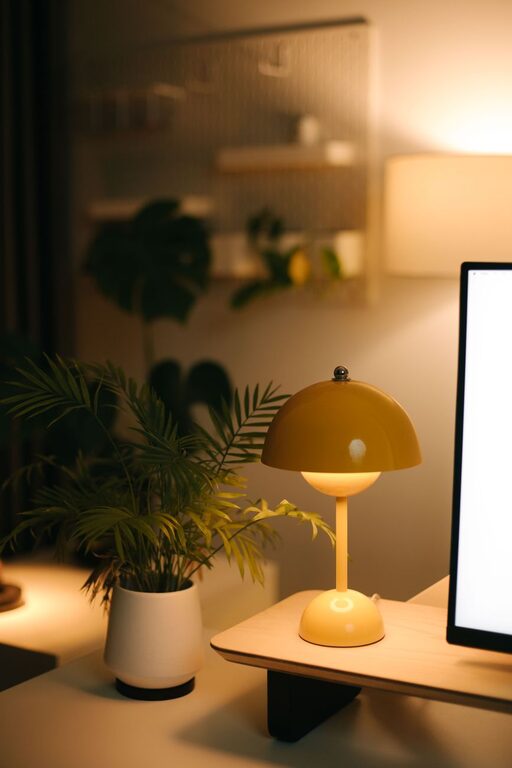

Creating a clutter-free and efficient home workspace is essential for maintaining focus and productivity, especially when more people are working remotely. A well-organized workspace can reduce stress, help manage your tasks more effectively, and create a pleasant environment where ideas flow easily. This post offers practical tips to help you organize your home office or any work area into a tidy, efficient space.
Why Organizing Your Workspace Matters
A disorganized workspace often leads to distractions and wasted time looking for items. It can also contribute to mental clutter, making it harder to concentrate. By organizing your workspace, you create a system and environment that supports your daily tasks, enhances your efficiency, and encourages a positive work mindset.
Start With a Clean Slate
Before bringing any items back to your workspace, you should clear everything off your desk and surrounding areas. Clean all surfaces and remove any dust or debris. This fresh start is the foundation for making intentional choices about the items that truly belong in your work area.
Sort and Declutter
The next step is sorting your belongings into categories such as:
– Essentials for daily use (e.g., computer, notebook, pens)
– Reference materials (e.g., manuals, calendars)
– Personal items (e.g., photos, plants)
– Miscellaneous or rarely used items
Declutter by removing anything that isn’t necessary or used frequently. Consider donating or storing items that you want to keep but don’t need immediate access to.
Choose Functional Storage Solutions
Storage is key to keeping your workspace organized. Here are some options to consider:
Desk Organizers
Small dividers or trays can separate items like pens, paper clips, and sticky notes. This keeps things within reach but neatly contained.
Shelves and Cabinets
Use shelves or filing cabinets to store books, binders, and important documents. Label files and folders clearly to locate important papers quickly.
Cable Management Tools
Keep cords and cables tidy with clips, boxes, or sleeves to avoid tangling and maintain a clean look.
Optimize Your Desk Layout
Design your workspace so that frequently used items are easy to reach without causing clutter.
– Place your computer or laptop in the center.
– Keep writing tools and notebooks on one side.
– Allocate space for your mouse and keyboard with enough room to move comfortably.
– If you use multiple devices, consider stands or mounts to maximize space.
Incorporate Good Lighting
Adequate lighting helps reduce eye strain and maintains energy levels. Position your desk near a natural light source if possible, and use a desk lamp with adjustable brightness for cloudy days or evening work sessions.
Develop Daily Habits to Maintain Order
Organization isn’t a one-time job. Incorporate simple habits into your routine to keep your workspace tidy:
– Clear your desk at the end of each day.
– Sort through papers weekly.
– Only keep what you need on your desk.
– Review your storage system monthly and adjust as needed.
Personalize Your Space Mindfully
Adding personal touches like plants, artwork, or photos can make your workspace more inviting. However, avoid overcrowding your desk to maintain focus and minimize distractions.
Use Technology to Reduce Paper Clutter
Digitize notes, receipts, and documents whenever possible. Use cloud storage and apps for task management to reduce the physical clutter of papers.
Create Zones if Space Allows
If your workspace is large enough, create different zones for different tasks:
– A primary workstation for computer work.
– A reference area for books and documents.
– A creative or brainstorming corner with supplies and tools.
This zoning can help you switch between types of work efficiently.
Final Thoughts
Organizing your home workspace takes some effort upfront but pays off with increased productivity and a calmer work environment. By decluttering, choosing smart storage, optimizing your layout, and maintaining daily habits, you can create a space that supports and energizes your workday.
Remember, the goal is to design a workspace that suits your needs and style while fostering focus and efficiency. Start small, and gradually refine your setup to find what works best for you.
About the Author